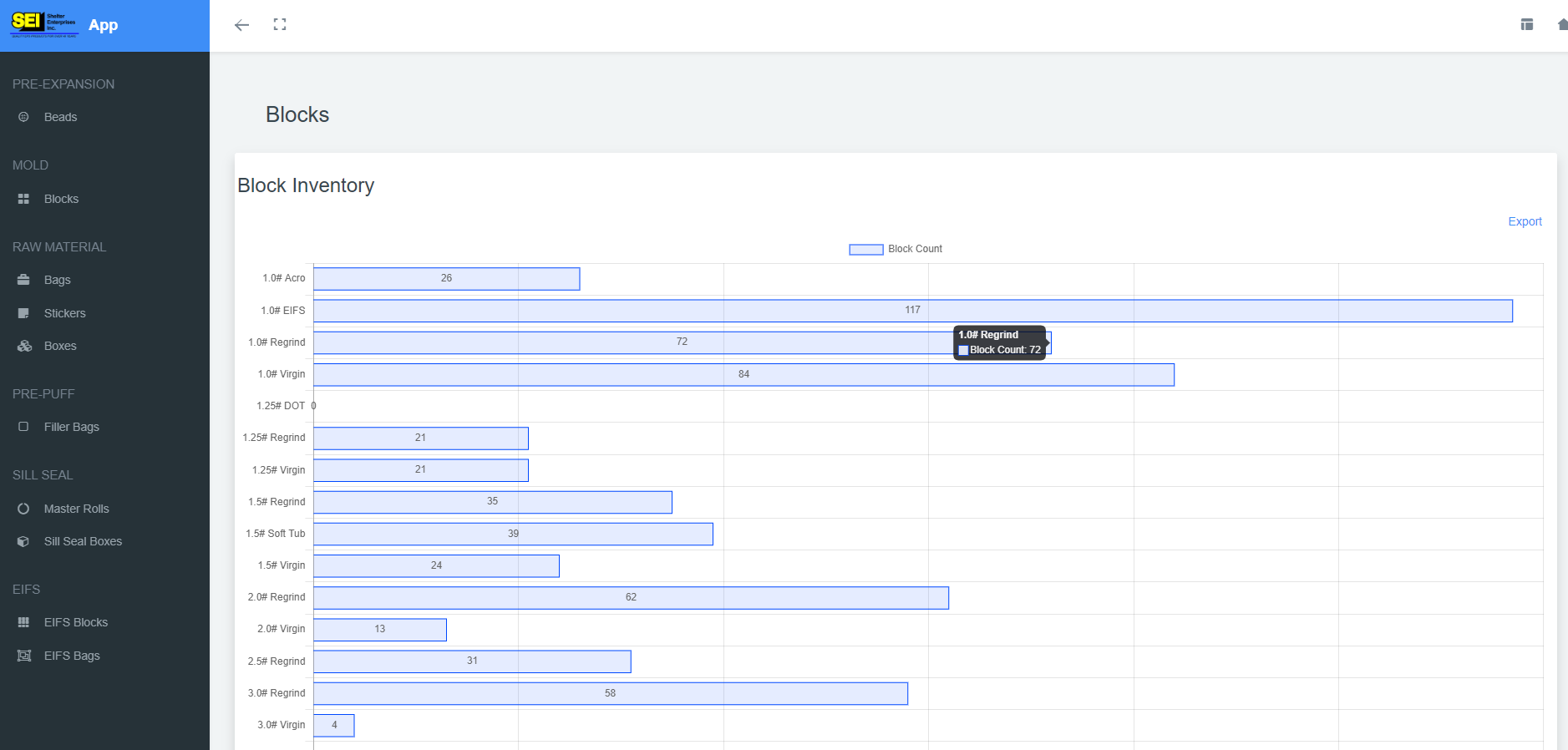
View Inventory
The inventory view is visible to all users. On the left-hand side are buttons which correspond with each type of inventory available to view. In the top right you will see a log out button to log out from the application. To return back to the home page click the home button. If the user has admin, factory admin, or accounting permissions they will also see a dashboard button which will allow them to jump right to the admin dashboard section.
View Sill Seal Inventory
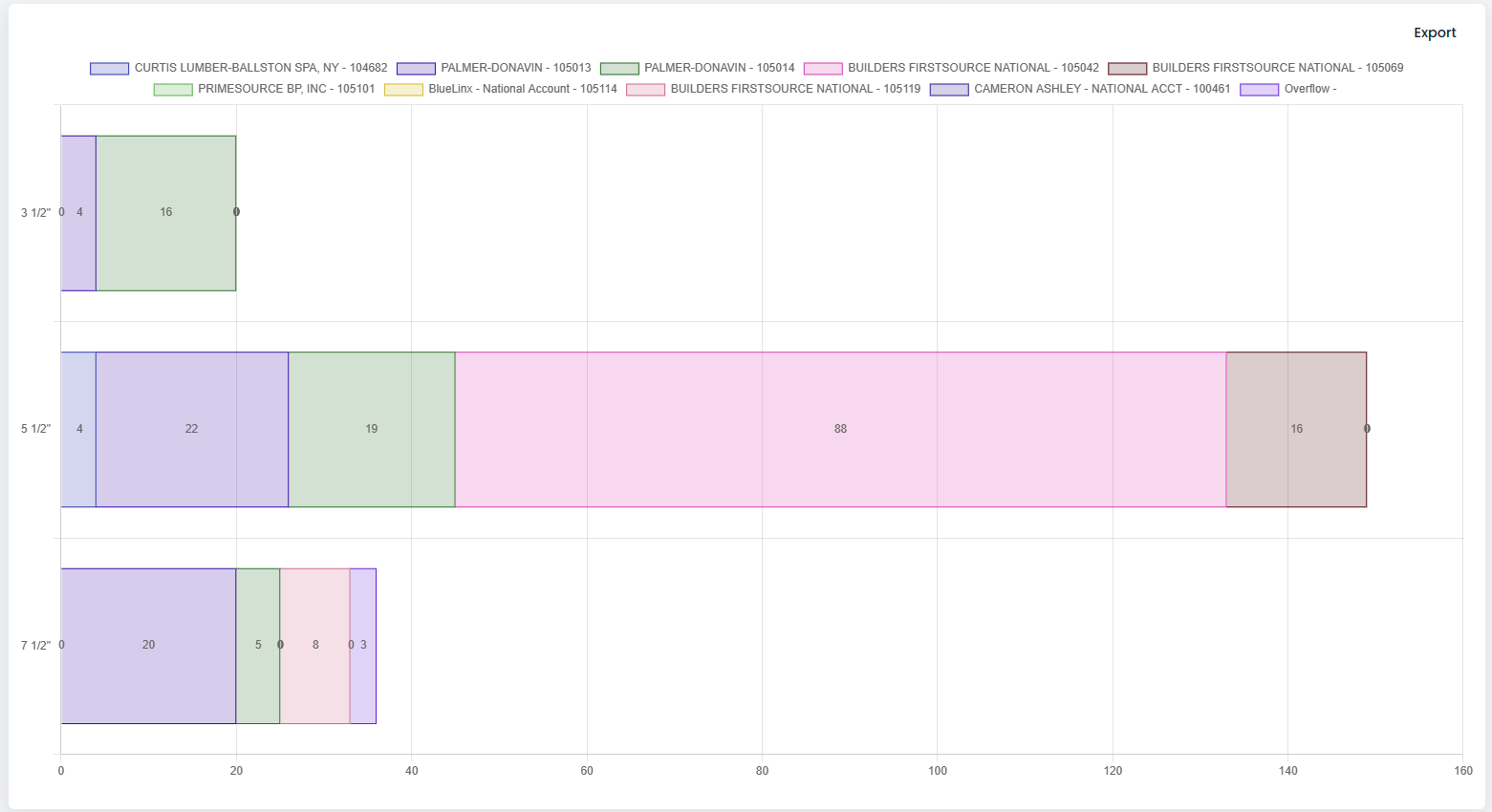
The inventory view for Sill Seal is different than all of the other views in that it shows what inventory is accounted for by sales order. The below figure shows the different datasets each representing a different sales order that the inventory is for.