Mold Process
Overview
The Mold Station is a real-time inventory management system that automatically tracks EPS (Expanded Polystyrene) blocks as they are created by the mold machine. The system provides operators with live visibility into block production and the ability to manage block data, flag problematic cycles, and verify block information.
Key Features:
- Real-time block data synchronization from the mold machine
- Live table of blocks in inventory
- Inline editing of block properties
- Block flagging system for quality issues
Front-End Behavior
Main Interface
The Mold In Progress page displays a paginated, auto-refreshing table of all unused blocks currently in inventory, sorted by creation date (most recent first).
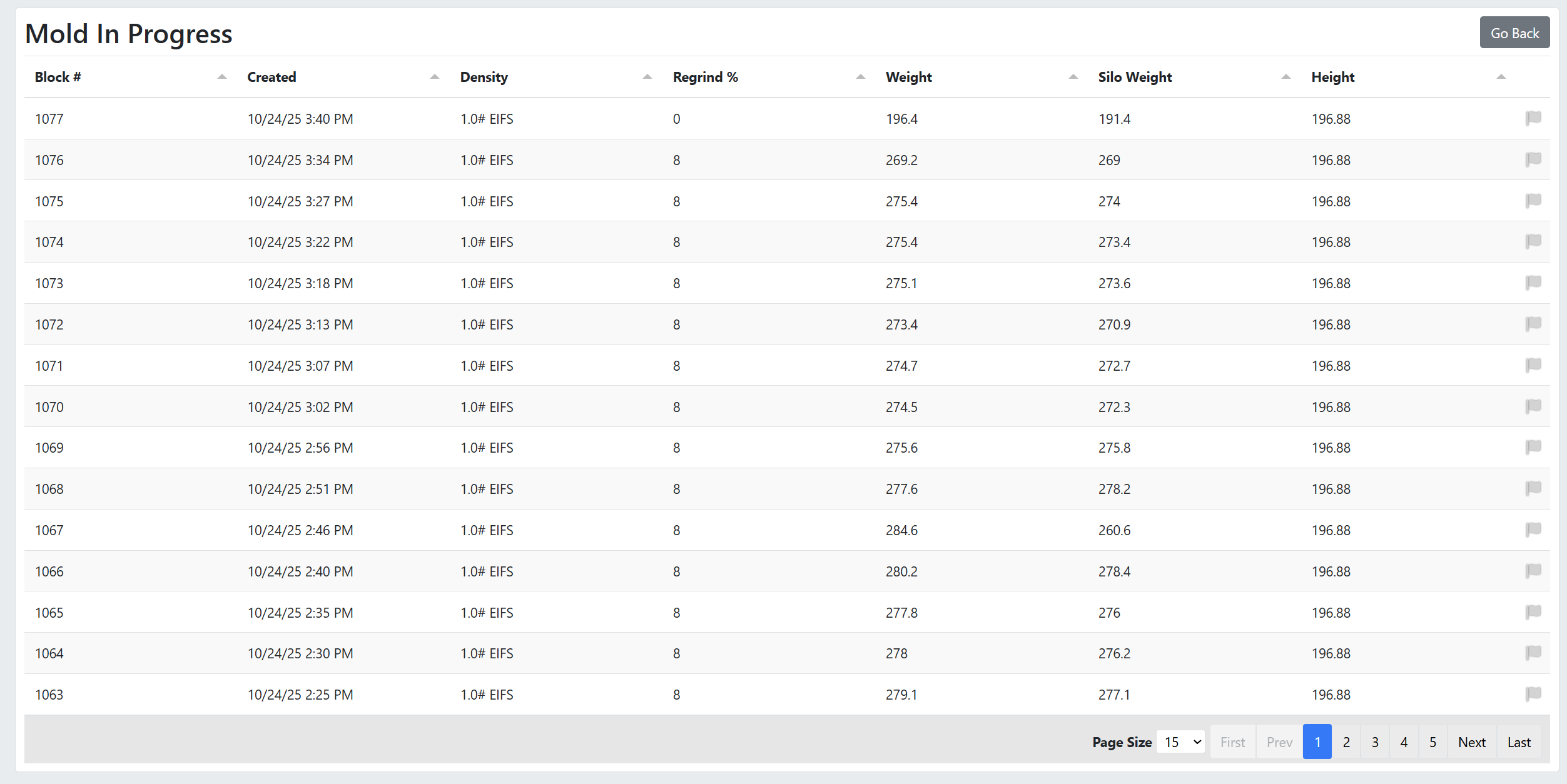
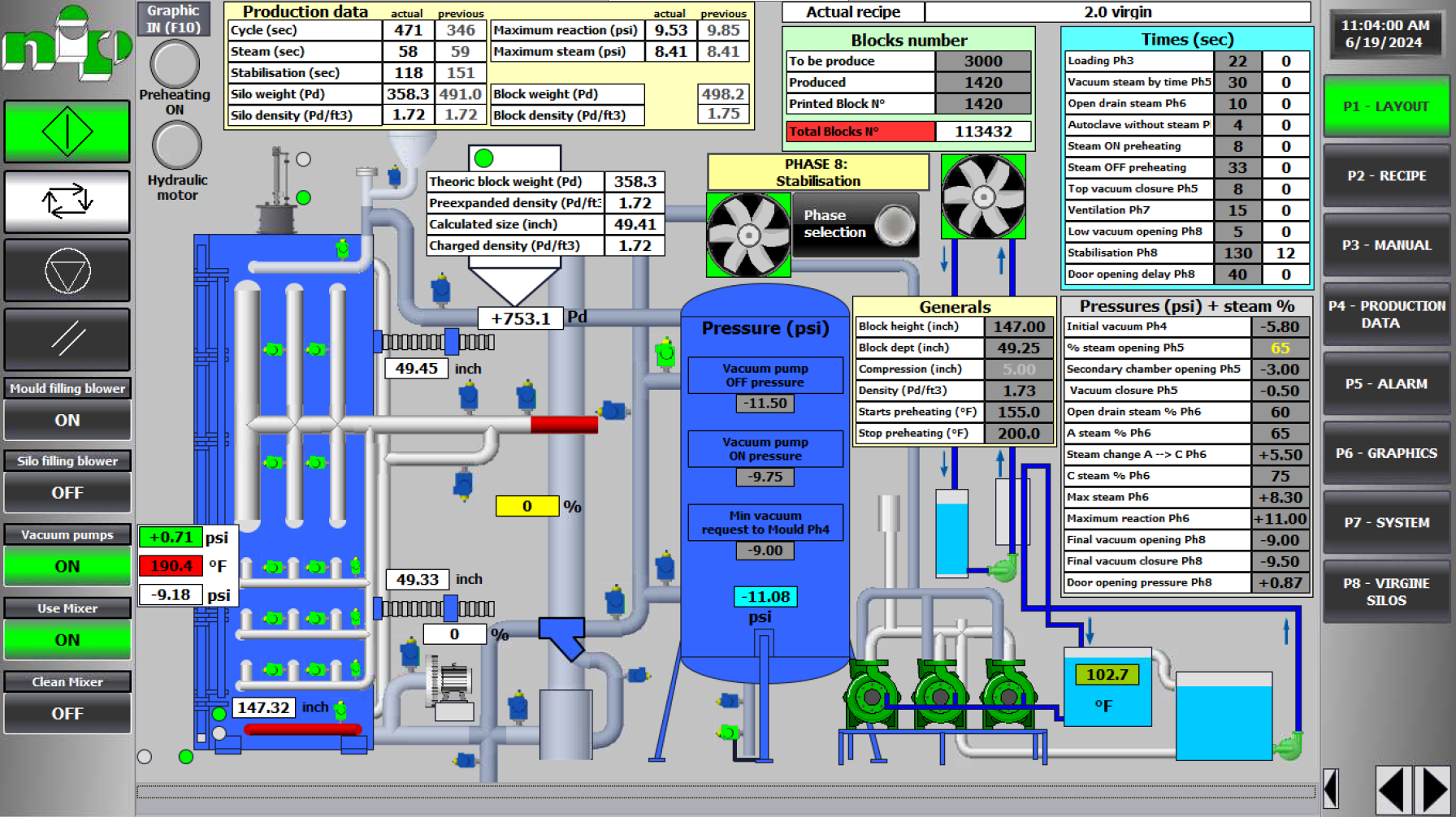
Table Columns:
- Block #: Sequential number assigned by the mold machine.
- Created: Timestamp when the block was molded.
- Density: EPS density type (e.g., "1.5# EIFS", "2.0# EIFS").
- Regrind %: Percentage of recycled bead used (0-100).
- Weight: Final block weight after molding (lbs).
- Silo Weight: Total bead weight loaded from silo (lbs).
- Height: Block height in inches.
- Flag Icon: Visual indicator for problem blocks (grey = normal, red = flagged).
Interactive Features:
Inline Editing (Click any cell to edit):
- Density: Dropdown list of available densities
- Regrind %: Number input (0-100)
- Weight: Number input
- Silo Weight: Number input
- Height: Number input
Changes are saved automatically and trigger a success notification.
Auto-Refresh:
- Table data refreshes every 30 seconds to display newly created blocks.
- Maintains current page position during refresh.
Flag Block Feature
Purpose: Mark mold cycles with quality issues or problems for administrator review.
Workflow:
-
Operator clicks the flag icon next to a block.
-
If the block is not flagged (grey icon):
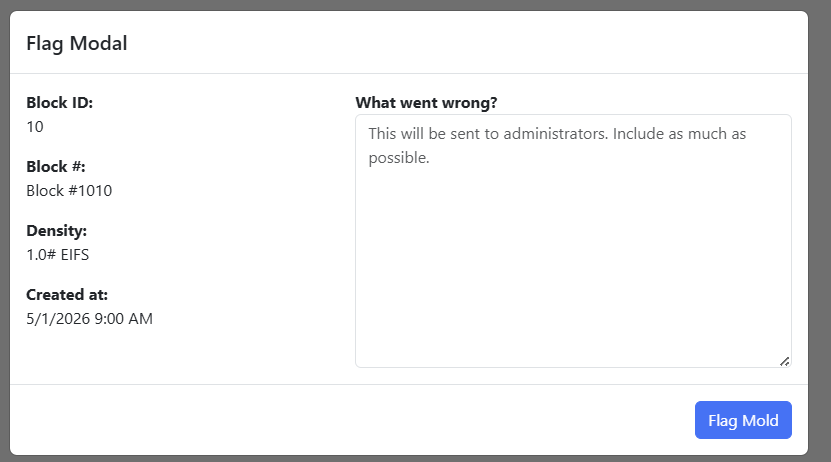
- Modal opens displaying the block details.
- Operator enters an explanation in the "What went wrong?" text area.
- Clicks the "Flag Mold" button.
- The icon turns red, and the system sends an email notification to all administrators.
- Success notification: "Mold cycle flagged"

-
If the block is already flagged (red icon):
- Single click immediately un-flags the block.
- Icon returns to grey.
- Success notification: "Mold cycle un-flagged"
Example Usage
Normal Operation
-
Operator Views Page:
- Navigates to
/mold/view - Sees the table of all unused blocks.
- Table auto-refreshes every 30 seconds.
- Navigates to
-
Operator Edits Block:
- Clicks "Regrind %" cell for a specific block.
- Changes value.
- Clicks outside the cell.
- Changes are saved automatically, and a success notification appears.
-
Operator Flags Problem Block:
- Clicks the grey flag icon next to a problematic block.
- Types an explanation of the problem (e.g., "Block weight too low, density incorrect").
- Clicks "Flag Mold" button.
- The icon turns red in the table.
Frequently Asked Questions (FAQ)
Q: Why doesn't a newly molded block appear in the table right away? A: The system automatically refreshes the table every 30 seconds. Additionally, the script on the mold machine waits for the file to stop changing before sending data. Please allow up to a minute for new blocks to appear.
Q: What happens when I flag a block? A: Flagging a block turns its icon red and immediately sends an email notification to the administrative team with your comments, allowing them to review the quality issue.
Related Documentation
- Python Scripts - Learn more about the background script that powers the real-time mold data import.