Pre-Expand
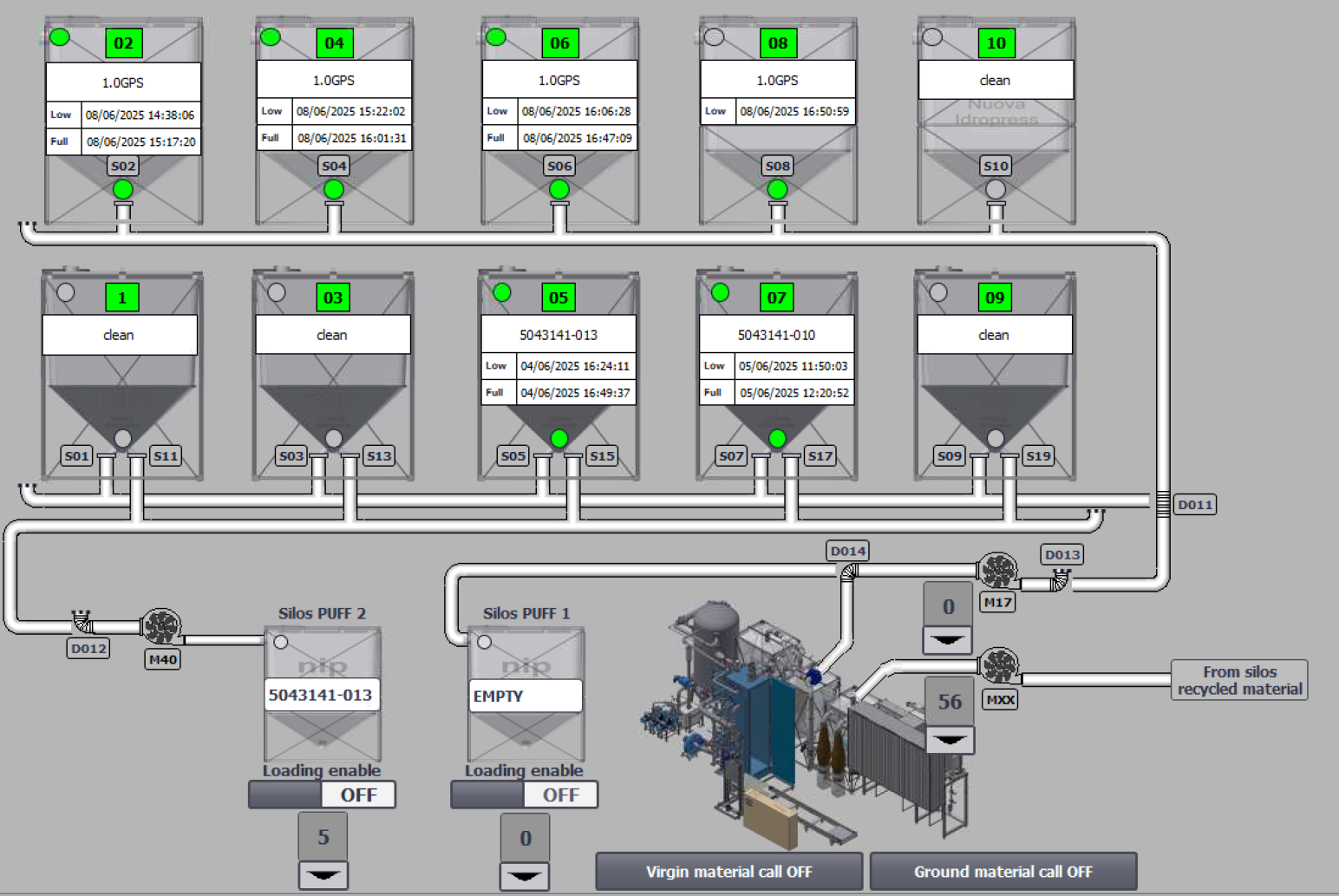
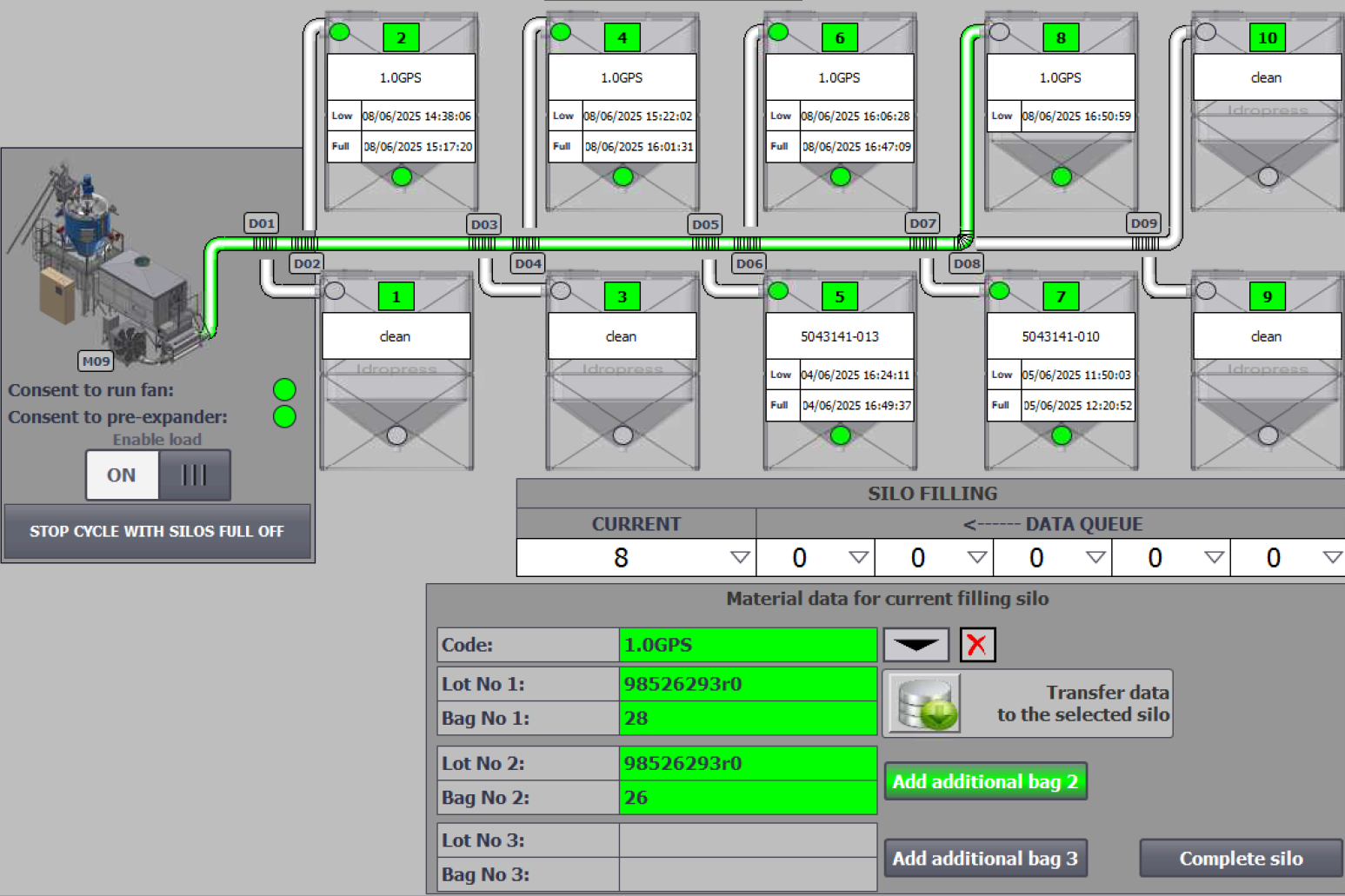
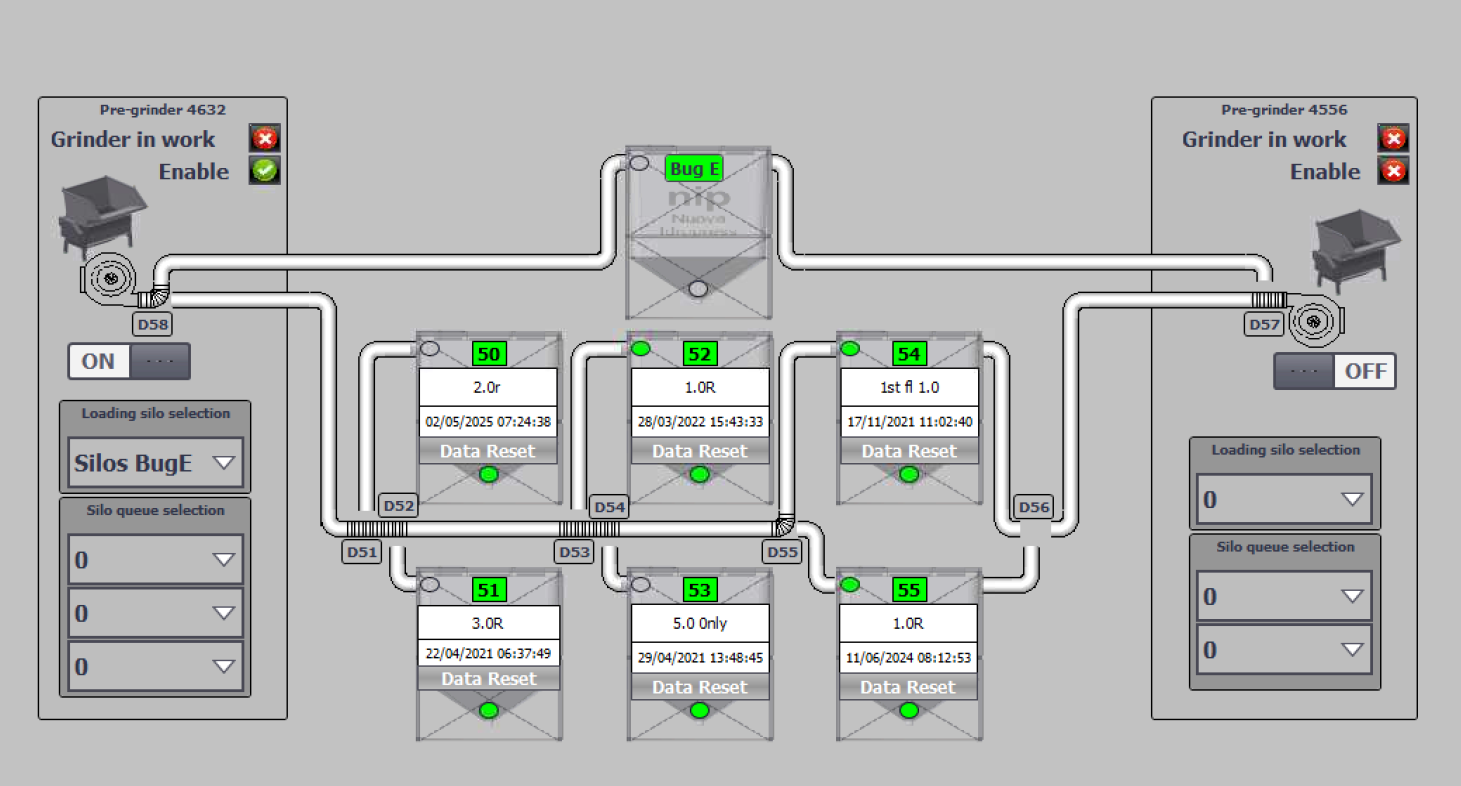
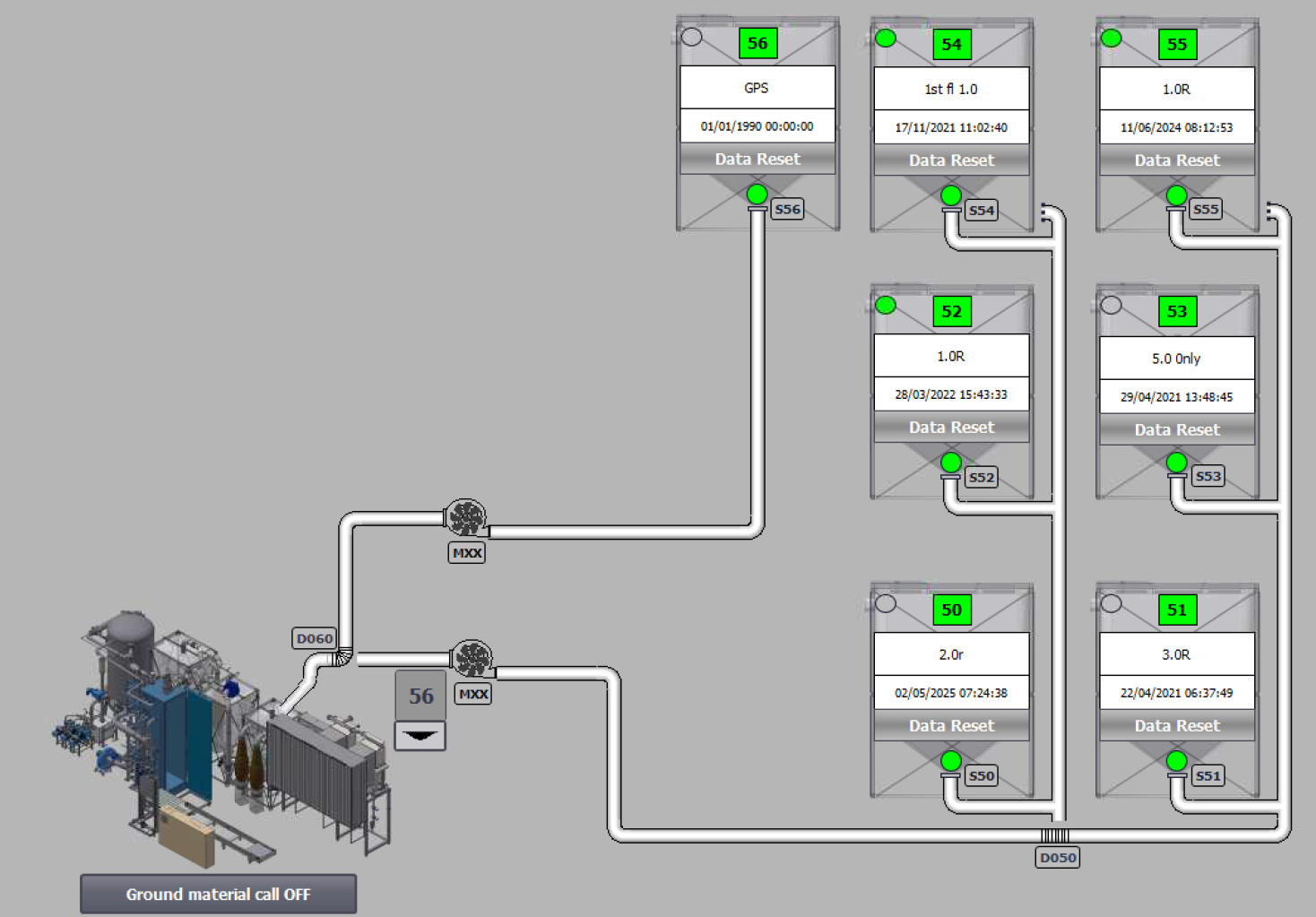
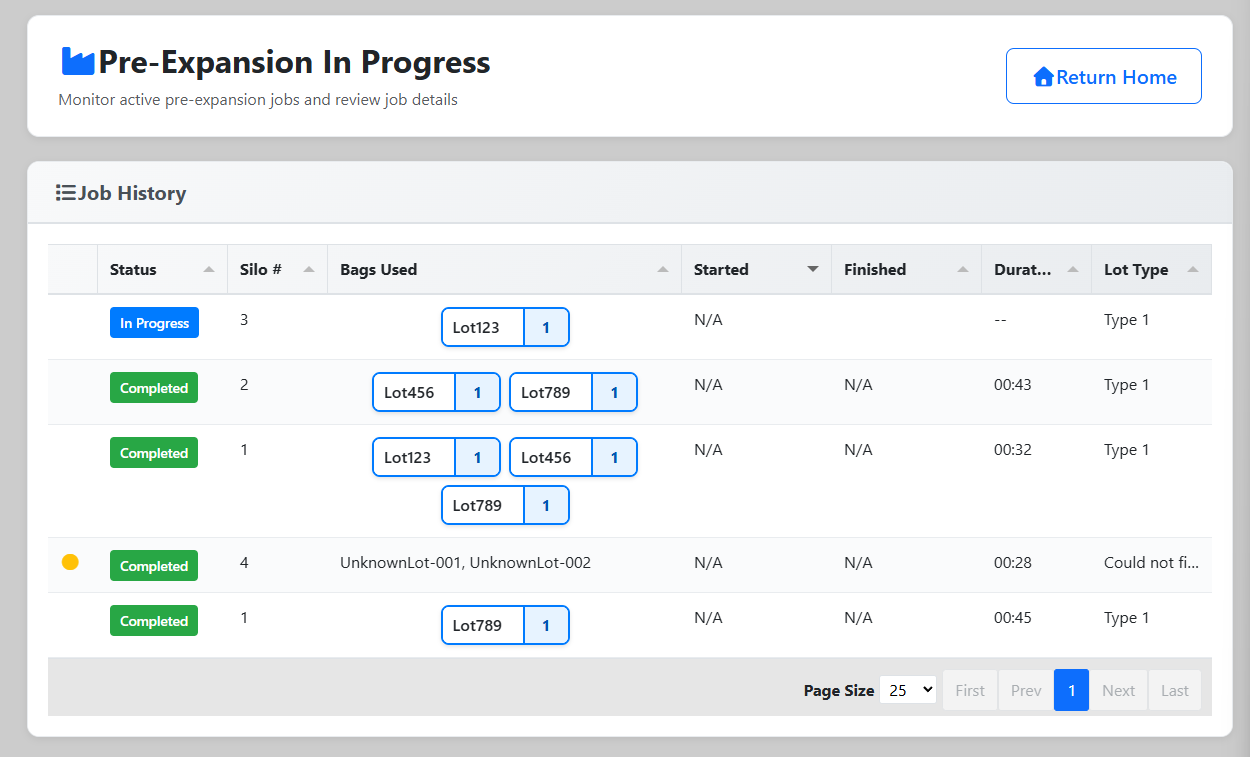
The Pre-Expansion function tracks expandable polystyrene (EPS) beads as they are processed through the pre-expander machine and moved into inventory. This page serves as a monitoring dashboard displaying all pre-expansion jobs that are currently in progress or have been completed.
Pre-expansion is a critical step in the EPS manufacturing process where raw beads are heated and expanded to the desired density before molding. The system automatically records this data via integration with the pre-expander machine through a Raspberry Pi device that sends updates in real-time.
Key Features:
- Automated Data Import - Pre-expansion data is automatically imported from the machine via API
- Real-Time Monitoring - Table refreshes every 30 seconds to show current operations
- Inventory Tracking - Links pre-expansion jobs to specific lot inventory consumed
- Job Details - View silo number, lot types, bags used, start/end times
- Lot Mismatch Resolution - Handle discrepancies between machine data and inventory records
Access Requirements: Users must belong to one of the following groups:
super_adminadminpreexpand
![INSERT SCREENSHOT HERE: Full view of the Pre-Expansion In Progress page showing the paginated table with multiple pre-expansion jobs listing bags used, start/end times, silo numbers, and lot types.]
Front-End Behavior
Page Layout
The Pre-Expansion page uses a simple, data-focused interface:
Header Section:
- Page title: "Pre-Expansion In Progress"
- Go Back button (top-right) - Returns user to
/user/view - Loading spinner indicator (hidden by default, shows during data refresh)
- "Changes Saved" checkmark icon (appears when modifications are saved)
Data Table: The main content is a Tabulator-based data table displaying pre-expansion jobs with the following columns:
| Column | Description | Format | Width |
|---|---|---|---|
| Lot ID | Unique job identifier | Hidden | N/A |
| Status Icon | Warning icon if disconnected | Yellow circle icon | 50px |
| Bags Used | Visual display of lot names and bag numbers | HTML formatted chips | 3x |
| Started Expansion | When pre-expansion began | M/D/YY h:mm AM/PM | 2x |
| Finished Expansion | When pre-expansion completed | M/D/YY h:mm AM/PM | 2x |
| Silo # | Silo number used for expansion | Integer | 1x |
| Lot Type | Type/density of beads expanded | Text | 1x |
Table Features:
- Pagination: Server-side pagination with configurable page sizes (25, 50, or 100 rows)
- Sorting: Default sort by "Started Expansion" descending (most recent first)
- Auto-refresh: Table data reloads every 30 seconds automatically
- Responsive Layout: Columns auto-fit to available width
- Max Height: Table scrolls vertically at 85vh to prevent page overflow
- Row Click: Clicking any row opens a detailed modal view
![INSERT SCREENSHOT HERE: Close-up of the table showing the "Bags Used" column with multiple lot name/bag number chips displayed as small bordered boxes.]
Bags Used Display
The "Bags Used" column displays consumed inventory as HTML-formatted chips:
- Each chip shows:
[Lot Name] | [Bag Number] - Chips have black borders with rounded corners (5px)
- Maximum width prevents text overflow with ellipsis
- Tooltip shows full lot name on hover
- Multiple chips displayed side-by-side in a responsive row
Example Display:
[Lot123 | 1] [Lot123 | 2] [Lot456 | 1]
Modal: Job Details
Clicking on any table row opens a modal dialog with detailed information:
Modal Structure:
- Title: "Modify Preexpansion Job"
- Left Column (66% width):
- Job summary table showing:
- Started (timestamp)
- Finished (timestamp)
- Silo # (integer)
- Lot Type (density label)
- Inventory Used section with two sub-columns:
- "Lots Entered" - Shows up to 3 lot names from the pre-expansion file
- "Inventory Used" - Shows corresponding inventory records from database
- Job summary table showing:
- Right Column (33% width):
- Additional inventory details (dynamically populated HTML)
- Footer:
- Close button
The modal provides a detailed view for verification and troubleshooting, allowing users to see exactly which inventory was consumed and how it matches the machine's recorded data.
![INSERT SCREENSHOT HERE: Modal dialog showing pre-expansion job details with the job summary table at top and the inventory used section below showing lot names entered and matching inventory records.]
Disconnected Status Indicator
Jobs with a disconnected status display a warning icon (yellow circle) in the leftmost column. This indicates:
- The machine may have experienced connectivity issues during the job
- Data may be incomplete or require verification
- Manual review recommended
Responsive Design
- Desktop: Full table with all columns visible, comfortable spacing
- Tablet: Columns maintain proportions, some text truncation may occur
- Mobile: Table remains scrollable horizontally, maintains data integrity
Loading States
Loading Spinner:
- Appears when saving data modifications
- Bootstrap spinner-border component in primary blue color
- Hidden by default, shown during AJAX operations
Saved Confirmation:
- Green checkmark icon with "Changes Saved" text
- Appears briefly after successful save operations
- Auto-hides when new data loads
Back-End Logic
Controller: Preexpand::view()
File Location: src/app/Controllers/Preexpand.php:26
The view() method handles rendering the pre-expansion monitoring page:
public function view(): string|RedirectResponse
{
if (auth()->user()->inGroup('super_admin', 'admin', 'preexpand'))
{
$title['title'] = "Pre-Expand Lots";
$data['lot_types'] = Lot_type_model::all();
$data['available_lots'] = Lot_model::selectRaw('lot_name')
->whereNull('start_date_used')
->whereNull('end_date_used')
->groupBy('lot_name')
->get();
return view('templates/header', $title) .
view('preexpansion/preexpand_in_progress', $data) .
view('templates/footer');
} else {
$user = auth()->user();
log_message('error', $user->first_name . " " . $user->last_name .
" tried to access the pre-expansion page without proper permissions");
return redirect()->back()->with('error', 'You must be an admin to view this page');
}
}
Key Logic:
- Checks user has appropriate group membership (super_admin, admin, or preexpand)
- Loads all lot types for reference
- Retrieves available lots (not yet used) grouped by lot name
- Renders page with header, main content, and footer
- Logs unauthorized access attempts and redirects with error message
Route: /preexpand/view
API Endpoint: Preexpand::get_preexpansion_data()
File Location: src/app/Controllers/Api/Preexpand.php:137
This endpoint provides paginated pre-expansion job data for the Tabulator table:
public function get_preexpansion_data(): ResponseInterface
{
$this->validation->setRules([
'page' => 'required|numeric|greater_than[0]',
'size' => 'required|numeric|greater_than[0]',
]);
if ($this->validation->withRequest($this->request)->run()) {
$valid_data = $this->validation->getValidated();
$data = [];
// Calculate offset for pagination
$offset = $valid_data['size'] * ($valid_data['page'] - 1);
// Calculate total pages
$data['last_page'] = ceil(Preexp_job_model::count() / $valid_data['size']);
// Retrieve jobs with pagination
$rows = Preexp_job_model::orderByDesc('created_at')
->offset($offset)
->limit($valid_data['size'])
->get();
// Build response data for each job
foreach ($rows as $job) {
// Collect bags associated with this job
$bags = [];
if ($job->bag_id_1 !== null) {
$bags[] = Lot_model::find($job->bag_id_1);
}
if ($job->bag_id_2 !== null) {
$bags[] = Lot_model::find($job->bag_id_2);
}
if ($job->bag_id_3 !== null) {
$bags[] = Lot_model::find($job->bag_id_3);
}
// Build HTML for bags display
$html = '<div class="row col-12 p-0">';
foreach ($bags as $bag) {
$html .= '<div style="border: 1px solid black; border-radius: 5px;
max-width: 12em; width: 30%;" class="row m-2 p-0">' .
'<div style="width: 70%;" class="text-left m-0 p-1"
title="' . $bag->lot_name . '">' . $bag->lot_name . '</div>' .
'<div style="border-left: 1px solid black; width: 30%;"
class="text-center m-0 p-1">' . $bag->bag_num . '</div></div>';
}
$html .= '</div>';
// Populate row data
$row['id'] = $job->id;
$row['bags_used'] = $html;
$row['silo_num'] = $job->silo_num;
$row['start_date_used'] = $job->start_time;
$row['end_date_used'] = $job->end_time;
$row['lot_type'] = $bags[0]->lot_type->label ?? '';
$data['data'][] = $row;
}
return $this->respond($data);
} else {
log_message("error", "Validation errors: " .
json_encode($this->validation->getErrors(), JSON_PRETTY_PRINT));
return $this->failValidationErrors($this->validation->getErrors());
}
}
Request Parameters:
page(required, numeric, > 0) - Current page numbersize(required, numeric, > 0) - Number of rows per page
Response Structure:
{
"last_page": 10,
"data": [
{
"id": 123,
"bags_used": "<div>...</div>",
"start_date_used": "2025-10-25 08:30:00",
"end_date_used": "2025-10-25 09:15:00",
"silo_num": 1,
"lot_type": "1.0 PCF White"
}
]
}
Helper Function: find_or_start_job()
File Location: src/app/Controllers/Api/Preexpand.php:57
This private helper function manages pre-expansion job creation and updates:
private function find_or_start_job(array $expansion, int $silo_number): Preexp_job_model
{
// Generate unique key for this expansion operation
$key_string = get_preexpand_job_key($expansion, $silo_number);
$existing_job = Preexp_job_model::where('key_string', $key_string);
if ($existing_job->exists()) {
$job = $existing_job->first();
} else {
$job = new Preexp_job_model();
log_message('debug', 'Created Pre-Expansion job with key: ' . $key_string);
}
$job->key_string = $key_string;
$job->silo_num = $silo_number;
$job->start_time = Date('Y-m-d H:i:s', strtotime($expansion['silo_start']));
// Handle "No Full" condition (silo didn't reach capacity)
if (strtolower($expansion['silo_end']) !== "no full" && $expansion['silo_end'] !== "") {
$job->end_time = Date('Y-m-d H:i:s', strtotime($expansion['silo_end']));
}
return $job;
}
Purpose:
- Prevents duplicate job creation through key_string lookup
- Handles edge cases like incomplete silo fills
- Maintains data integrity across machine updates
Helper Function: build_available_lot_array()
File Location: src/app/Controllers/Api/Preexpand.php:98
Builds a map of available inventory for lot matching:
private function build_available_lot_array(): array
{
$map = [];
$query = Lot_model::with('lot_type')
->whereNull('start_date_used')
->whereNull('end_date_used')
->whereNull('bag_num');
foreach ($query->get() as $lot) {
if (array_key_exists($lot->lot_name, $map)) {
$map[$lot->lot_name]['count']++;
} else {
$map[$lot->lot_name]['name'] = $lot->lot_name;
$map[$lot->lot_name]['type'] = Lot_type_model::find($lot->lot_type_id)->label;
$map[$lot->lot_name]['count'] = 1;
}
}
return $map;
}
Returns: Array indexed by lot name containing type and count information
View File
File Location: src/app/Views/preexpansion/preexpand_in_progress.php
The view file sets up the page structure and includes:
- Card container for table
- Empty div (#lot_table) where Tabulator initializes
- Loading spinner and saved confirmation icons
- Modal dialog structure for job details
- JavaScript include for
bead_in_progress.js
JavaScript: Tabulator Configuration
File Location: src/public/js/preexpansion/bead_in_progress.js
The client-side logic handles table initialization and interaction:
let lot_table = new Tabulator("#lot_table", {
placeholder: "No lots have been created",
pagination: true,
paginationMode: "remote",
paginationSize: 25,
maxHeight: '85vh',
ajaxURL: "/api/preexpand/get_preexpansion_data",
ajaxConfig: "POST",
initialSort: [{column: "start_date_used", dir: "desc"}],
paginationSizeSelector: [25, 50, 100],
columns: [
{title: "Lot ID", field: "id", visible: false},
{field: 'disconnected', width: 50, formatter: function(cell) {
return cell.getValue() ? '<i class="fa fa-circle text-warning"></i>' : '';
}},
{title: "Bags Used", field: "bags_used", widthGrow: 3, formatter: 'html'},
{title: "Started Expansion", field: "start_date_used", widthGrow: 2,
formatter: "datetime", formatterParams: {
inputFormat: "yyyy-LL-dd HH:mm:ss",
outputFormat: "L/d/yy h:mm a"
}},
{title: "Finished Expansion", field: "end_date_used", widthGrow: 2,
formatter: "datetime"},
{title: "Silo #", field: "silo_num", widthGrow: 1},
{title: "Lot Type", field: "lot_type", widthGrow: 1}
],
rowClick: function(e, row) {
preexp_job_id = row.getData().id;
$('#add_bags_modal').modal('toggle');
populateModal(row);
}
});
// Auto-refresh every 30 seconds
setInterval(function() {
lot_table.replaceData();
}, 30000);
Database Model: Preexp_job_model
File Location: src/app/Models/Preexp_job_model.php
The model represents pre-expansion jobs with the following key fields:
key_string- Unique identifier for this expansion operationsilo_num- Silo number (1-N)start_time- When expansion startedend_time- When expansion completed (nullable for incomplete jobs)bag_id_1,bag_id_2,bag_id_3- Foreign keys to lot records consumedcreated_at,updated_at- Timestamps
Relationships:
- Belongs to multiple
Lotrecords via bag_id columns
Authentication & Authorization
Required Permissions: Users must belong to one of these groups:
super_admin- Full system accessadmin- Administrative accesspreexpand- Specific access to pre-expansion monitoring
Permission Check: src/app/Controllers/Preexpand.php:28
if (auth()->user()->inGroup('super_admin', 'admin', 'preexpand')) {
// Allow access
}
Database Tables Affected
Primary Tables:
preexp_job- Pre-expansion job recordslot- Inventory lot records marked as usedlot_type- Lot type/density reference data
Key Operations:
- Read pre-expansion jobs with pagination
- Read lot inventory records for display
- Update lot weights when corrections are made
Developer Notes
Raspberry Pi Integration
The pre-expansion data is automatically imported from the pre-expander machine via a Raspberry Pi device running a separate application.
Integration Repository: shelter-preexp-app
How It Works:
- Raspberry Pi reads data files from the pre-expander machine
- Pi parses expansion data (silo start/end times, lot names, bag numbers)
- Pi sends HTTP POST requests to the Shelter Enterprises API
- API creates/updates pre-expansion jobs and marks inventory as used
- Dashboard reflects changes in real-time (30-second refresh)
Key String Generation:
Each pre-expansion operation generates a unique key_string based on:
- Silo number
- Start timestamp
- Lot names involved
This prevents duplicate job creation when the Pi sends multiple updates for the same expansion.
Lot Mismatch Resolution
When the pre-expander machine records a lot name that doesn't exist in inventory:
Automated Handling:
- System detects mismatch during data import
- Sends email notification to administrators with details
- Email contains link to resolution page
- Resolution page offers two options:
- Create New Lot - Adds missing lot to inventory and marks as used
- Match to Existing - Maps machine lot name to closest matching inventory lot
Closest Match Algorithm:
- System suggests lot names with highest similarity score
- Uses string comparison algorithms (Levenshtein distance)
- Presents top 3-5 matches for manual selection
Why Mismatches Occur:
- Manual data entry errors when adding inventory
- Typos in pre-expander input
- Different naming conventions between systems
- Missing inventory that should have been added
Handling "No Full" Silos
Sometimes a silo doesn't reach full capacity during pre-expansion:
if (strtolower($expansion['silo_end']) !== "no full" && $expansion['silo_end'] !== "") {
$job->end_time = Date('Y-m-d H:i:s', strtotime($expansion['silo_end']));
}
When This Happens:
- Operator may have stopped expansion early
- Machine malfunction or power interruption
- Insufficient bead supply to complete fill
System Behavior:
- Job
end_timeremains NULL - Job still appears in table with "(invalid date)" for Finished Expansion
- Inventory is still marked as consumed
- Administrators can review and correct if needed
Cost Calculations
Pre-expansion contributes to job costing through two components:
Labor Cost:
Labor Cost = Pre-Expander Rate of Pay × Pre-defined Pre-Expansion Time
- Pre-Expander Rate of Pay: Hourly wage of employees with 'Pre-Expand' job type
- Pre-defined Pre-Expansion Time: Standard time per density (configured per lot type)
Material Cost:
Material Cost = Cost per lb × Total Weight Expanded
- Cost per lb: Stamped cost from lot records at time of inventory addition
- Total Weight Expanded: Sum of weights from all bags consumed
Where Used:
- Job costing reports
- Profitability analysis
- Production efficiency metrics
Weight Corrections
Users can correct bag weights directly from the table (though not visible in current screenshot, this feature exists):
Process:
- Click on weight field in table
- Field becomes editable inline
- Enter correct weight value
- Blur field or press Enter
- JavaScript calls
/api/lot/updatewith new weight - System validates and saves
- "Changes Saved" icon appears
- Inventory records updated immediately
Use Cases:
- Scale calibration errors
- Incorrect manual entries
- Typos from pre-expander input
Tabulator Library
The page uses Tabulator for advanced table functionality:
Key Features Used:
- Remote pagination with server-side data loading
- Custom HTML formatters for complex cell content
- DateTime formatters with locale support
- Row click handlers for modal display
- Auto-refresh capability
- Responsive column sizing
Version: Check package.json or included script tag
Pagination Performance
Server-Side Benefits:
- Prevents loading thousands of job records at once
- Reduces initial page load time
- Minimizes memory usage
- Scales to large datasets
Implementation:
- SQL LIMIT/OFFSET queries for efficiency
- Total page count calculated once per request
- Client maintains current page state
- Seamless navigation between pages
Adding New Columns
To add a new column to the pre-expansion table:
-
Update API Response (
src/app/Controllers/Api/Preexpand.php:137):$row['new_field'] = $job->new_attribute; -
Update Tabulator Config (
src/public/js/preexpansion/bead_in_progress.js):columns: [
// ... existing columns
{title: "New Column", field: "new_field", widthGrow: 1}
] -
Test Pagination - Ensure new field appears across all pages
Modal Population
The populateModal() function (defined elsewhere in the JS file) handles filling the modal with job details:
Expected Behavior:
- Extracts job data from clicked row
- Populates summary fields (Started, Finished, Silo, Lot Type)
- Displays up to 3 lots entered from machine
- Shows corresponding inventory records from database
- Highlights mismatches if any exist
Example Usage
Example 1: Monitoring Active Pre-Expansion
- Operator with
preexpandgroup membership logs in - Clicks "Pre-Expansion" button on home page
- System navigates to
/preexpand/view - Page displays "Pre-Expansion In Progress" table
- Table shows current and recent pre-expansion jobs:
- Row 1: Silo 1, started 8:30 AM, finished 9:15 AM, used Lot123 bags 1-3
- Row 2: Silo 2, started 9:00 AM, not finished yet, using Lot456 bags 1-2
- Row 3: Silo 3, started yesterday, completed, used multiple lots
- Table automatically refreshes every 30 seconds
- New jobs from Raspberry Pi appear automatically
- Operator can see real-time status of all silos
Example 2: Reviewing Job Details
- User on pre-expansion page sees recently completed job
- User clicks on table row for the job
- Modal dialog opens showing:
- Job Summary:
- Started: 10/25/25 8:30 AM
- Finished: 10/25/25 9:15 AM
- Silo #: 1
- Lot Type: 1.0 PCF White
- Inventory Used:
- Lots Entered: Lot123, Lot456
- Inventory Used: Shows specific bag records consumed
- Lot123: bags 1, 2, 3
- Lot456: bags 1, 2
- Job Summary:
- User verifies data is correct
- User clicks "Close" to return to table
Example 3: Handling Lot Mismatch
- Raspberry Pi sends pre-expansion data with lot name "Lot789"
- System searches inventory for "Lot789"
- No matching lot found in database
- System sends email to admins:
Subject: Pre-Expansion Lot Mismatch
The pre-expander reported using lot "Lot789" but this lot
does not exist in inventory. Please resolve this mismatch.
[Click here to resolve] - Admin clicks link in email
- Resolution page shows:
- Lot reported by machine: "Lot789"
- Suggested matches:
- Lot7891 (95% match)
- Lot7890 (90% match)
- Lot788 (75% match)
- Admin recognizes "Lot7891" is correct (typo in machine input)
- Admin clicks "Match to Lot7891"
- System updates pre-expansion job to use Lot7891
- Inventory records for Lot7891 marked as used
- Pre-expansion page now shows correct lot name
Example 4: Admin Reviewing Weekly Production
- Factory manager logs in as admin
- Navigates to Pre-Expansion page
- Changes page size to 100 rows for comprehensive view
- Reviews week's production:
- Monday: 15 pre-expansion jobs, all silos active
- Tuesday: 12 jobs, Silo 3 had "No Full" condition
- Wednesday: 18 jobs, high production day
- Thursday: 10 jobs, planned maintenance
- Friday: 16 jobs, normal operation
- Manager notices Silo 2 used primarily for 1.0 PCF density
- Manager clicks several jobs to verify inventory consumption
- Manager exports data for production report (if export feature available)
Example 5: Troubleshooting Disconnected Job
- Operator notices yellow warning icon on recent job
- Operator clicks row to open modal
- Modal shows:
- Started: 10/25/25 2:00 PM
- Finished: (invalid date)
- Status: Disconnected
- Only 1 lot entered, expected 3
- Operator realizes power outage occurred at 2:15 PM
- Operator notes job incomplete due to outage
- Operator contacts supervisor to review actual silo contents
- Supervisor manually verifies inventory and makes corrections if needed
- Note added to production log for incident tracking
Related Documentation
Inventory Management
- Add Inventory - Bead - How bead lots are added to inventory before pre-expansion
- View Inventory - Viewing current bead inventory levels
Production Processes
- Mold - Next step after pre-expansion where expanded beads are molded into blocks
- Lines 1 & 2 - Cutting operations that use molded blocks
Administrative Functions
- Admin Tools - Edit Bead - Administrative functions for managing lot types and default weights
- Cost Management - Setting material costs and labor rates for costing calculations
Integration & API
- Raspberry Pi Pre-Expansion App - External application that feeds data to this system
- API Documentation - Preexpand Endpoints - API endpoints for pre-expansion data import
Home Page
- Home/Dashboard - Main navigation hub that links to Pre-Expansion